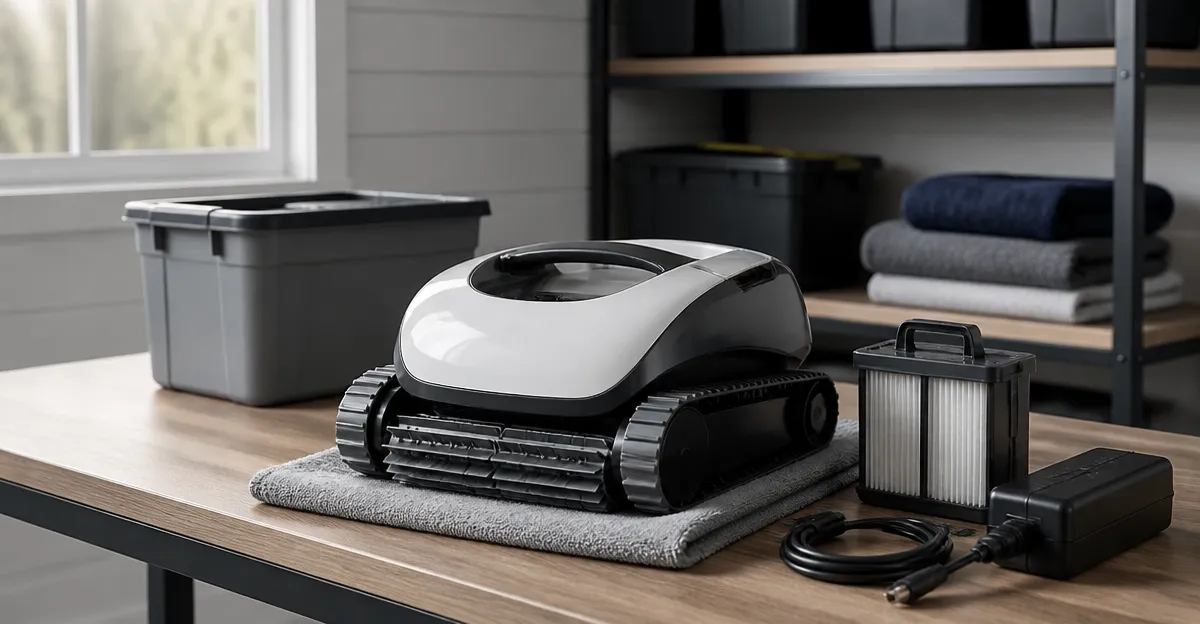
How to Winter-Store a Cordless Robotic Pool Cleaner for Above‑Ground Pools: Step‑by‑Step Tips to Protect Batteries & Prevent Damage
Introduction
Winterizing a cordless robotic pool cleaner is essential to ensure reliable performance when the swimming season returns. This guide explains how to clean, dry, and store the unit so that the battery retains capacity and the internal components avoid corrosion. Readers will learn a systematic process, discover which tools simplify each step, and understand why proper storage extends the life of a high‑value investment.
Above‑ground pools are especially vulnerable because owners often dismantle the entire system for the cold months. Neglecting the robot can lead to dead batteries, clogged filters, and costly warranty claims. By following the procedures below, one can avoid these pitfalls and enjoy a ready‑to‑use cleaner each spring.
The instructions apply to most cordless models, including the Aiper Scuba S1, Combier Solar Pool Skimmer Robot, Zebary Cordless Pool Vacuum, CZYBYTE Cordless Pool Vacuum, and WYBOT C1. While each model has unique features, the core storage steps remain the same.
What You’ll Need
- Soft microfiber cloths for wiping exterior surfaces.
- Non‑abrasive cleaning brush (e.g., a soft‑bristle pool brush).
- Compressed air canister or a low‑pressure air blower.
- Silicone‑based waterproof sealant (optional, for long‑term storage).
- Battery charger compatible with the robot’s charging port.
- Sturdy storage container with a lid (plastic bin or waterproof tote).
- Desiccant packets to control humidity inside the container.
These items are generally inexpensive and can be found at most hardware stores. The only specialized tools are the charger and, if desired, a dedicated storage tote that protects the robot from dust and temperature fluctuations.
Step‑by‑Step Instructions
Step 1: Power Down and Remove the Battery
Begin by turning off the robot using the power button. For models such as the Aiper Scuba S1, the battery is sealed but removable with a simple latch. Detach the battery pack and place it on a dry, non‑conductive surface.
Why this matters: Batteries are the most temperature‑sensitive component. Removing them prevents exposure to moisture that can cause internal short‑circuits during freezing conditions.
Once removed, inspect the contacts for corrosion. If a white residue is present, clean it gently with a cotton swab dipped in isopropyl alcohol, then dry thoroughly.
Step 2: Clean the Exterior and Filter System
Rinse the robot’s outer hull with fresh water to eliminate chlorine residue. Use a soft brush to dislodge debris from the wheels and treads. For the Zebary Cordless Pool Vacuum, the 3 L filter basket should be emptied, rinsed, and inspected for tears.
Why this matters: Residual chemicals can accelerate plastic degradation, while trapped debris can attract mold during storage. The CZYBYTE Cordless Pool Vacuum features a 4 L top‑loading basket with a 150 µm mesh that captures fine particles; cleaning it now reduces future clogging.
After rinsing, dry the unit with a microfiber cloth. For hard‑to‑reach areas, use a can of compressed air to blow out water from sensor ports and motor vents.
Step 3: Condition the Battery for Long‑Term Storage
If you anticipate storing the robot for more than three months, charge the battery to approximately 50 % of its full capacity. This “storage charge” level minimizes sulfation in lithium‑ion cells, a common cause of capacity loss.
Why this matters: Fully charged batteries can degrade faster in cold environments, while completely discharged cells may enter a deep‑discharge state that renders them unusable. The Aiper Scuba S1 includes a smart charger that can be set to a storage mode via its companion app.
Place the battery in a cool, dry location (ideally 10‑15 °C). Avoid garages that experience sub‑zero temperatures, as extreme cold can cause irreversible damage.
Step 4: Apply Protective Sealant (Optional)
For owners in particularly humid climates, a thin coat of silicone‑based waterproof sealant on exposed connectors can deter moisture ingress. Apply a small amount with a fingertip and allow it to cure for 24 hours before proceeding.
Why this matters: Even a brief exposure to condensation can create corrosion pathways on metal contacts. A sealant provides a barrier without interfering with future charging cycles.
Step 5: Pack the Robot in a Storage Container
Choose a rigid plastic bin with a secure lid. Line the bottom with a soft cloth to cushion the robot. Place desiccant packets (silica gel) inside to absorb residual humidity.
Why this matters: A sealed container protects the unit from dust, pests, and temperature swings. The WYBOT C1 is relatively heavy; a sturdy bin prevents accidental crushing during winter activities.
Insert the cleaned robot, ensuring wheels are not pressed against the bin walls. Close the lid tightly and store the container in a temperature‑controlled area, such as a basement or utility room.
Step 6: Store the Charger Separately
Unplug the charger, coil the cable loosely, and store it in the same container but on a separate shelf. This prevents cable damage and keeps the charging port free from dust.
Why this matters: Chargers are often overlooked, yet a damaged cable can render the battery unusable when spring arrives.
Tips & Pro Tips
- Rotate the battery quarterly. Even in storage, lithium cells benefit from a brief recharge to 70 % every three months.
- Label the container with the storage date. This helps you track how long the unit has been idle.
- Use a temperature monitor. A simple digital thermometer placed inside the bin alerts you if conditions exceed 25 °C, which can accelerate battery aging.
- Consider a solar‑powered skimmer. The Combier Solar Pool Skimmer Robot can remain on the surface during mild winter days, reducing surface debris that might otherwise settle on the main cleaner’s filter.
- Avoid stacking heavy items on the bin. Pressure can warp the robot’s chassis, especially on models with delicate wall‑climbing treads.
Troubleshooting
| Problem | Possible Cause | Solution |
|---|---|---|
| Battery fails to charge after winter | Deep discharge or temperature‑induced degradation | Charge at room temperature for 2‑3 hours; if voltage remains low, contact manufacturer warranty (e.g., Aiper Scuba S1 offers a 2‑year warranty). |
| Corrosion on connectors | Moisture ingress | Clean with isopropyl alcohol, apply silicone sealant, and ensure desiccants are fresh. |
| Filter basket clogged after first spring use | Residual debris trapped during storage | Rinse basket thoroughly, inspect mesh for tears, replace if necessary. |
Conclusion
Proper winter storage protects both the battery and the mechanical components of a cordless robotic pool cleaner. By cleaning, drying, conditioning the battery, and sealing the unit in a controlled environment, one can expect the robot to resume full performance with minimal re‑commissioning effort. The steps outlined above apply to a range of models, from the premium Aiper Scuba S1 to the budget‑friendly Zebary Cordless Pool Vacuum. Implement these practices each year, and the seasonal transition will be seamless.
Products Mentioned in This Guide
Frequently Asked Questions
How should I clean a cordless robotic pool cleaner before winter storage?
Rinse the robot with fresh water, remove debris from the filter, and wipe the exterior dry to prevent mold and corrosion.
What is the best way to store the battery to maintain its lifespan?
Store the battery in a cool, dry place at about 50 % charge and check the voltage monthly, recharging if it drops below 40 %.
Do I need to disconnect the battery from the robot for storage?
Yes, disconnect the battery to avoid slow discharge and to protect the robot’s internal electronics.
Can I store the robot outdoors during winter?
No, keep the unit indoors in a temperature‑controlled environment to shield it from freezing temperatures and moisture.
How long can I keep a cordless pool cleaner in storage before performance degrades?
If stored properly, the robot can remain unused for up to 6 months without significant loss of battery capacity or functionality.